
How to Watch Movies on IPTV: 4K, Subtitles, Audio Tracks & VOD Explained
If you want to watch movies on IPTV, the experience depends on much more than simply pressing Play.
Video quality, subtitle support, audio tracks, file formats, device compatibility and network performance can all affect how smoothly a movie plays.
Some users may have access to HD or 4K content, multiple audio languages, subtitles and Video on Demand libraries through a legitimate IPTV or media service.
In this guide, we explain how movie playback works on IPTV, what 4K really requires, how subtitles and audio tracks are handled, and why some movies play perfectly while others may buffer or fail to start.
If you are new to IPTV, read our What Is IPTV? Complete Guide first.
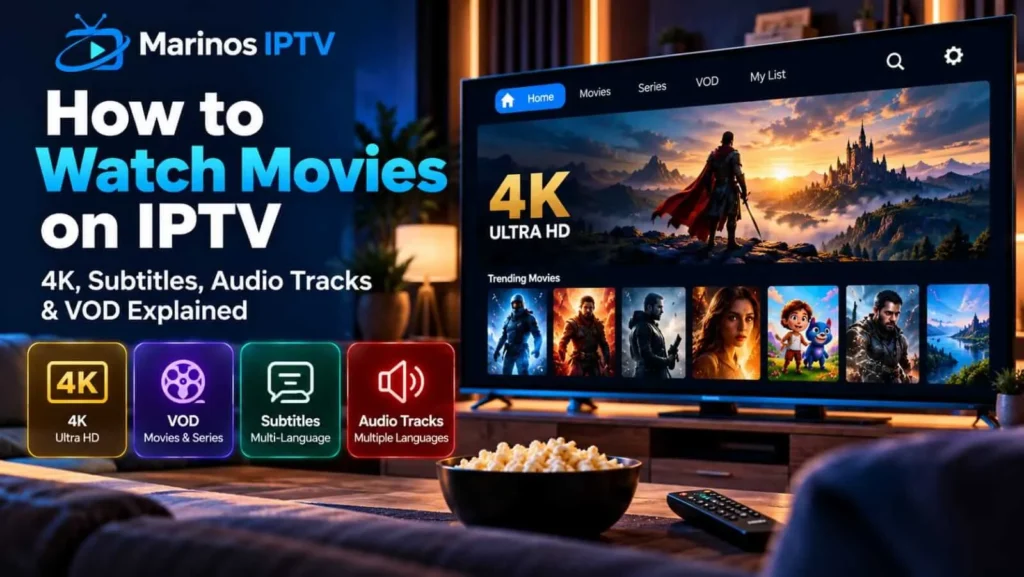
What Does VOD Mean on IPTV?
VOD stands for Video on Demand.
Unlike live television, where programming follows a fixed schedule, VOD allows users to choose a movie or episode and start playback when they want.
A typical VOD section may organize content by:
- Movies
- Series
- Genres
- Recently added titles
- Favorites
- Search
- Continue watching
The exact layout depends on the IPTV player and service.
A well-designed player can make a large VOD library much easier to browse.
How Do IPTV Movies Work?
When you watch movies on IPTV, the video is delivered over an IP network to your device.
The player receives a video stream and decodes the video, audio and subtitle information.
The final playback experience depends on several components working together:
Stream source → internet connection → IPTV player → device → television/display
If one part is incompatible or unstable, playback quality can suffer.
IPTV Movies vs Live TV
Movies and live television may use similar streaming technologies, but the viewing experience can be different.
Live TV must be delivered in real time.
Movies stored as VOD content can often use more flexible playback methods because the full media file already exists on the server.
This can allow features such as:
- pause and resume;
- fast forward;
- rewind;
- subtitle selection;
- audio-track selection;
- continue watching.
Availability depends on the IPTV player and provider.
Can You Watch 4K Movies on IPTV?
Yes, IPTV can technically deliver 4K movies when all parts of the playback chain support it.
For 4K playback you typically need:
- a 4K video source;
- a compatible IPTV player;
- a 4K-capable streaming device;
- a 4K television;
- a stable internet connection;
- compatible video codecs.
Google TV confirms that 4K UHD playback requires compatible content and hardware, while HDR features such as HDR10, HDR10+ and Dolby Vision are only available when both the content and device support them.
So seeing “4K” in a movie title does not automatically guarantee that your screen is actually receiving 4K.
4K vs Full HD for IPTV Movies
Full HD usually refers to 1920×1080 resolution.
4K UHD usually refers to 3840×2160 resolution.
4K contains substantially more pixels than Full HD and therefore generally requires more bandwidth and processing power.
However, resolution is not the only factor affecting picture quality.
Video bitrate, compression, codec and source quality also matter.
A well-encoded 1080p stream can sometimes look better than a heavily compressed 4K stream.
What Is HDR in IPTV Movies?
HDR stands for High Dynamic Range.
HDR can provide improved brightness, contrast and color range compared with standard dynamic range video.
Common HDR formats include:
- HDR10
- HDR10+
- Dolby Vision
Google TV notes that HDR playback requires both compatible 4K content and a compatible device/display.
An IPTV player alone cannot add genuine HDR to a movie that was not encoded with HDR information.
Why Video Codec Matters
A video codec controls how video data is compressed and decoded.
Common video codecs include:
- H.264 / AVC
- H.265 / HEVC
- VP9
- AV1
Device support varies.
Plex explains that a media file includes more than just the file extension. Playback depends on the combination of container, video codec, audio codec and subtitle format.
This is why one movie may play normally while another with the same resolution may fail on the same device.
H.264 vs H.265 for IPTV Movies
H.264 remains widely compatible.
H.265, also known as HEVC, can provide better compression efficiency and is commonly used for higher-resolution video such as 4K.
However, older Smart TVs and streaming devices may not support every HEVC profile or bitrate.
Plex’s Smart TV documentation notes that supported 4K playback can use HEVC/H.265, while device capabilities vary between manufacturers and models.
When a device cannot decode a format directly, the stream may need conversion or may fail depending on the playback system.
What Is Direct Play?
Direct Play means the device can play the original media without changing its video or audio format.
This is usually the most efficient playback method.
Plex explains that Direct Play happens when the device supports the media’s resolution, codecs and container natively.
This can reduce processing requirements and preserve original quality.
What Is Transcoding?
Transcoding happens when the media must be converted into a format the device can play.
For example, a device may not support:
- the video codec;
- the audio format;
- the subtitle format;
- the original bitrate.
Plex documents that its playback system may use Direct Play, Direct Stream or transcoding depending on device capabilities.
Transcoding can require significantly more processing power.
For IPTV users, the exact behavior depends on the streaming service and player.
How Subtitles Work in IPTV Movies
Subtitles can be delivered in several ways.
They may be:
- embedded inside the media;
- provided as a separate subtitle file;
- included as selectable tracks.
Common subtitle formats include:
- SRT
- ASS/SSA
- WebVTT
- PGS
Plex lists SRT, SMI, SSA/ASS and WebVTT among formats widely supported across its apps.
Compatibility varies between IPTV players and devices.
Embedded vs External Subtitles
Embedded subtitles are stored inside the video container.
External subtitles are separate files associated with the movie.
Embedded subtitles can be convenient because they remain attached to the media.
External subtitle files can be easier to edit or replace.
Plex notes that embedded subtitle tracks are often convenient because they are generally synchronized with the associated video.
For IPTV services, subtitle availability depends on how the provider has prepared the VOD content.
Why IPTV Subtitles Sometimes Do Not Work
Subtitle problems can result from:
- unsupported subtitle format;
- incorrect character encoding;
- player incompatibility;
- missing subtitle track;
- subtitle timing errors;
- device limitations.
Plex recommends UTF-8 encoding for text subtitle files because other encodings can display incorrect characters. rticularly relevant for Arabic, French and other multilingual subtitles.
Multiple Audio Tracks in IPTV Movies
Some movies contain several audio tracks.
These may include:
- original language;
- dubbed language;
- commentary;
- surround sound;
- stereo alternatives.
A compatible IPTV player should allow users to switch between available tracks.
However, the available languages depend on the actual media stream.
The player cannot create an audio language that does not exist in the source.
Audio Codec Compatibility
Audio can be encoded using formats such as:
- AAC
- AC3 / Dolby Digital
- EAC3 / Dolby Digital Plus
- DTS
- MP3
Compatibility varies by device.
Plex notes that its apps may convert unsupported audio formats into compatible ones depending on the playback device.
This explains why some movies may have video but no sound on certain devices.
Why an IPTV Movie Has No Sound
If a movie plays without audio, possible causes include:
- unsupported audio codec;
- incorrect audio-track selection;
- player configuration;
- television audio compatibility;
- HDMI audio settings.
First try switching to another available audio track.
Then test another movie.
If only one movie has no sound, the issue may be specific to that file or track rather than the entire IPTV player.
Why Some IPTV Movies Buffer
Movie buffering can result from:
- limited bandwidth;
- unstable Wi-Fi;
- high video bitrate;
- 4K resolution;
- server congestion;
- device limitations;
- player configuration.
A high-quality 4K movie can require significantly more bandwidth than a standard HD stream.
Our Internet Speed for IPTV Guide explains bandwidth requirements in detail.
If buffering continues even with adequate internet speed, read our IPTV Buffering Guide.
IPTV Movies on Smart TV
Smart TVs can offer a convenient movie experience because the IPTV player runs directly on the television.
However, media compatibility differs between models.
Plex notes that Smart TV playback capabilities depend on the playback systems provided by each television manufacturer, and different models may support different containers, codecs and audio formats.
This same principle applies broadly to IPTV applications.
Newer televisions generally support a wider range of modern codecs than older models.
IPTV Movies on Android TV and Google TV
Android TV and Google TV provide access to media applications designed for television screens.
These devices can be useful when the television’s built-in Smart TV system becomes outdated.
Google TV supports HD, 4K and HDR playback when compatible content and hardware are available.
A modern streaming device can therefore sometimes improve format compatibility compared with an older Smart TV.
IPTV Movies on Fire TV
Fire TV devices can act as dedicated streaming platforms connected through HDMI.
They can be useful when users want to avoid relying on an older television’s built-in apps.
The exact movie quality available depends on the Fire TV model, IPTV player, stream and television.
Always verify the device’s supported resolution and codec specifications before assuming 4K or HDR compatibility.
Does the IPTV Player Affect Movie Quality?
Yes, but only to a point.
The IPTV player can influence:
- decoding;
- subtitle handling;
- audio-track selection;
- hardware acceleration;
- buffering behavior;
- interface quality.
But the player cannot improve a poor-quality source into genuine 4K.
The source stream remains the foundation of video quality.
Our Best IPTV Player Guide explains how to choose a compatible player.
Movie Posters and Metadata
Modern IPTV players can display more than just movie titles.
A VOD interface may include:
- posters;
- descriptions;
- release year;
- genres;
- ratings;
- duration;
- cast information.
This information is commonly called metadata.
Good metadata makes large movie libraries much easier to browse.
Without it, users may be left with nothing more useful than hundreds of filenames, because apparently humans did once decide that movie_final_v2_1080_REAL.mkv was acceptable organization.
Searching IPTV Movie Libraries
Large VOD libraries need effective search.
Useful search features include:
- title search;
- genre filters;
- year filters;
- favorites;
- recently watched;
- continue watching.
A good IPTV player should allow users to find content without scrolling through hundreds of titles.
This becomes increasingly important as the library grows.
Continue Watching and Resume Playback
Resume playback allows a movie to continue from where the viewer stopped.
This feature can be stored locally on the device or synchronized by the IPTV service.
Not every player supports cross-device resume functionality.
Users who frequently switch between television, tablet and phone should check whether their chosen service and player support synchronized viewing progress.
Can IPTV Movies Work on Multiple Devices?
Potentially yes, but this depends on the service agreement.
An IPTV player may be available on several devices, but simultaneous connections may be limited by the provider.
Users should check the number of allowed devices or streams before trying simultaneous playback.
Can IPTV Movies Have Different Languages?
Yes.
A movie may include:
- multiple audio languages;
- multiple subtitle languages.
However, availability depends entirely on the source media.
A player can only display tracks that are actually included or provided.
For multilingual viewers, check audio and subtitle options before starting playback.
Why a Movie Works on One Device but Not Another
This is usually a compatibility issue.
One device may support:
- HEVC;
- advanced audio codecs;
- specific subtitle formats;
while another device may not.
Plex explains that playback compatibility is determined by the combined container, video codec, audio codec and subtitle format.
This is one of the most useful concepts for troubleshooting movie playback.
IPTV Movie Playback Checklist
Before watching a movie, check:
- Is the device compatible with the player?
- Is the internet connection stable?
- Does the device support the video codec?
- Does the device support the audio format?
- Are subtitles available and compatible?
- Is the content really available in 4K or HDR?
- Does another movie play correctly?
This simple checklist can identify a surprising number of problems without randomly reinstalling everything.
Frequently Asked Questions About IPTV Movies
Can I watch movies on IPTV?
Yes, legitimate IPTV and VOD services can deliver movies through internet-based streaming when the provider has the rights to distribute that content.
Can IPTV movies be 4K?
Yes, provided the source, player, device, television and network all support 4K.
Can IPTV movies have subtitles?
Yes. Subtitle availability depends on the source media and player compatibility.
Why are IPTV subtitles not showing?
The subtitle track may be missing, disabled or encoded in a format the player or device does not support.
Can IPTV movies have multiple languages?
Yes. Some media includes several audio tracks and subtitle languages.
Why does an IPTV movie have video but no sound?
The device may not support the audio codec, or the wrong audio track may be selected.
Does IPTV support HDR?
IPTV can deliver HDR content when the original media, player and display support compatible HDR formats.
Why does 4K IPTV buffer?
4K video generally uses more bandwidth and device resources than HD content. Weak Wi-Fi, high bitrates and server congestion can contribute to buffering.
Final Thoughts
Learning how to watch movies on IPTV involves understanding more than resolution alone.
4K quality depends on the entire playback chain.
Subtitles depend on player and format compatibility.
Audio tracks depend on the formats included with the media and the capabilities of your device.
If a movie does not play correctly, check the video codec, audio format, subtitles, player, network and device rather than assuming the IPTV service is automatically responsible.
For more help, read our Best IPTV Player Guide, IPTV Buffering Guide, Internet Speed for IPTV Guide, and What Is IPTV? Complete Guide.
______________________________________________
Sources reviewed in October 2026:
Plex Support, What is Plex?
Plex confirms support for movies and media playback across Smart TVs, Android, Fire TV and other streaming devices.
Plex Support: What Is Plex?
Plex Support, What Media Formats Are Supported?
Covers video, audio and subtitle compatibility and transcoding behavior.
Plex: Supported Media Formats
Plex Support, What Media Formats Are Supported on Smart TVs?
Details Smart TV codec support, HEVC, 4K playback and manufacturer differences.
Plex: Smart TV Media Compatibility
Plex Support, Adding Local Subtitles to Your Media
Explains supported subtitle formats including SRT, ASS/SSA and WebVTT.
Plex: Subtitle Support
Plex Support, Direct Play, Direct Stream, Transcoding Overview
Explains how playback changes according to device capabilities and media format.
Plex: Direct Play and Transcoding
Google TV Help, Watch HD, 4K UHD, HDR & 3D Videos
Official guidance covering 4K UHD, HDR10, HDR10+ and Dolby Vision compatibility.
Google TV: 4K and HDR Video Support