
Best IPTV Player in 2026: What to Look for on Smart TV, Android TV & Fire TV
Choosing the best IPTV player can have a major impact on how easy and comfortable your streaming experience feels.
An IPTV player does not normally provide television channels or movies by itself. Instead, it acts as the software interface that loads and plays compatible streams supplied through a legitimate IPTV service or your own authorized media source.
Different IPTV players can vary significantly in design, playback performance, EPG support, playlist management, device compatibility and advanced settings.
In this guide, we explain what an IPTV player does, which features matter most, how players differ across Smart TV, Android TV and Fire TV devices, and how to choose the right option for your setup.
If you are still learning how IPTV works, start with our What Is IPTV? Complete Guide before choosing a player.
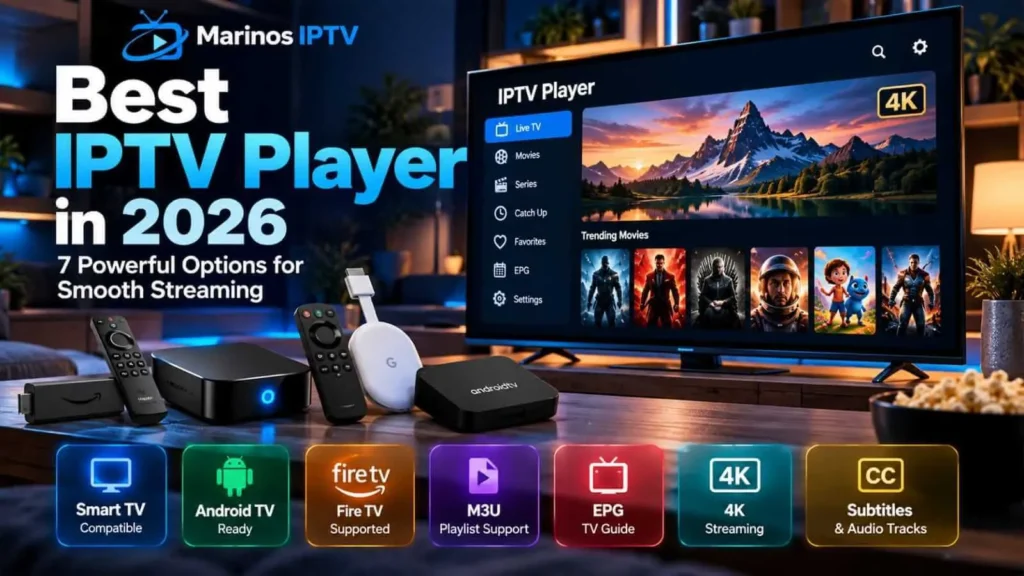
What Is an IPTV Player?
An IPTV player is an application or media player capable of receiving and playing television or video streams over an IP network.
The player itself is usually separate from the content provider.
This distinction matters because users often confuse an IPTV player with an IPTV service.
An IPTV provider supplies or authorizes access to content, while the player is the software used to display that content on a compatible device.
For example, VLC can play network streams and media delivered over local or remote network connections. VideoLAN’s official documentation states that VLC for Android supports video, audio and network streams.
IPTV Player vs IPTV Provider
This is one of the most important concepts to understand.
An IPTV player is the application.
An IPTV provider is the service or source supplying authorized streams and programming.
Think of the relationship this way:
IPTV Provider → supplies authorized content or stream information
IPTV Player → organizes and plays the stream on your device
Installing an IPTV player therefore does not automatically give you access to television channels or movies.
This distinction also helps users troubleshoot problems more accurately.
If an app opens normally but a specific stream fails, the problem may not be the player itself.
What Makes the Best IPTV Player?
The best IPTV player is not necessarily the application with the longest list of features.
A good player should match your device and the way you actually watch television.
Important features can include:
- reliable video playback;
- simple navigation;
- M3U playlist support;
- EPG support;
- favorites and channel organization;
- subtitle support;
- multiple audio tracks;
- fast channel switching;
- resume playback;
- hardware decoding;
- parental or profile controls where available;
- support for the operating system on your device.
Some users prefer a clean, television-style interface, while others prefer advanced media-player controls.
M3U Support in an IPTV Player
M3U is a playlist format commonly used to organize media streams.
An IPTV player that supports M3U can read playlist information and organize compatible streams into a more convenient interface.
Kodi’s official PVR IPTV Simple Client, for example, supports M3U playlists, live TV streams and EPG data.
However, M3U is only a format.
The presence of an M3U playlist does not determine whether the underlying content is authorized or lawful.
Users should only load streams they are permitted to access.
What Is EPG in an IPTV Player?
EPG stands for Electronic Program Guide.
An EPG gives television viewers information about what is currently playing and what programs are coming next.
A good IPTV player can use EPG information to show:
- channel schedules;
- program titles;
- start and end times;
- program descriptions;
- upcoming shows.
Kodi’s IPTV Simple Client supports EPG alongside M3U playlists and live TV streams.
For users who watch a lot of live television, EPG quality can make a bigger difference than fancy animations or visual effects.
Best IPTV Player Features for Smart TV
Smart TVs can be convenient because the player runs directly on the television.
There is no additional streaming box to connect.
However, Smart TV operating systems differ by manufacturer, and not every application is available on every television.
The ideal IPTV player for Smart TV should offer:
- remote-friendly navigation;
- clear channel categories;
- fast startup;
- stable playback;
- EPG support;
- favorites;
- subtitles;
- easy account or playlist management.
Older Smart TVs may also have less processing power than newer streaming devices.
This can influence interface speed and high-resolution playback.
IPTV Player for Android TV
Android TV provides access to compatible applications through Google Play.
Google’s official Android TV documentation explains that users can browse and install apps directly from the Google Play Store on Android TV devices.
This gives Android TV users a relatively broad range of media-player choices.
A strong Android TV IPTV player should work well with a television remote and take advantage of hardware decoding when available.
Android TV can also be useful for users who want a more flexible streaming environment than some closed Smart TV platforms provide.
IPTV Player for Google TV
Google TV is closely related to Android TV but places more emphasis on content discovery and personalized recommendations.
Google confirms that users can install streaming and entertainment applications from the Apps section on Google TV.
When choosing an IPTV player for Google TV, look for an application designed for television screens rather than a phone app simply stretched onto a larger display.
Navigation should feel natural using a remote control.
IPTV Player for Fire TV
Amazon Fire TV is another popular streaming platform.
Fire TV devices connect to a television and support apps designed for Amazon’s platform.
Amazon’s official documentation shows that Fire TV is built around applications running directly on the device, with several current Fire TV Stick, 4K and Cube models available.
For an IPTV player on Fire TV, useful features include:
- remote-friendly interface;
- hardware decoding;
- playlist management;
- EPG;
- favorites;
- reliable playback;
- subtitle and audio controls.
Always prefer legitimate applications from trusted sources and keep them updated.
VLC as an IPTV and Network Stream Player
VLC is different from many television-style IPTV applications.
It is primarily a general-purpose media player.
VideoLAN’s official documentation states that VLC for Android can play video and audio files as well as network streams, network shares and other media sources.
VLC also supports local network protocols and can browse network media shares.
Its advantages include broad format support and powerful playback controls.
However, users looking for a polished television guide and channel-grid interface may prefer a dedicated IPTV-oriented application.
Kodi as an IPTV Player
Kodi is another powerful media platform.
With the official PVR IPTV Simple Client, Kodi can load M3U playlists, display live television streams and use EPG information.
Kodi is particularly useful for users who want a customizable media-center experience.
It can combine different types of media into a single interface.
The tradeoff is complexity.
Kodi can require more setup than a simple IPTV application designed only for television channels.
Dedicated IPTV Player vs General Media Player
There are two broad categories of players.
Dedicated IPTV Players
These focus on live television and channel organization.
They often provide:
- EPG grids;
- channel categories;
- favorites;
- TV-style navigation;
- catch-up integration where supported;
- multi-screen layouts on some devices.
General Media Players
Applications such as VLC focus on broad media compatibility.
They can play local files and network streams, but they may not provide the same television-like organization.
The better choice depends on how you watch content.
For live television, a dedicated IPTV player is often more convenient.
For individual network streams or mixed media libraries, a general media player can be more flexible.
Hardware Decoding and IPTV Playback
Hardware decoding allows the device’s graphics or video hardware to process video instead of relying entirely on the CPU.
This can improve efficiency and reduce processor load.
On low-powered streaming devices or Smart TVs, hardware decoding can be particularly useful for Full HD and 4K content.
If a player offers both hardware and software decoding, the default setting usually works best.
Change decoding settings only when troubleshooting a specific playback problem.
Randomly changing every advanced setting is a reliable human tradition, but rarely a useful technical strategy.
IPTV Player and 4K Streaming
The IPTV player is only one part of the 4K playback chain.
To watch 4K video successfully, you need:
- a 4K stream;
- a compatible IPTV player;
- a 4K-capable device;
- a 4K television;
- sufficient stable bandwidth;
- compatible video codecs.
If any part of that chain lacks support, the stream may play at a lower resolution or fail to play correctly.
Read our Internet Speed for IPTV Guide for more information about bandwidth and 4K streaming.
IPTV Player Buffering
If IPTV buffers, do not immediately assume the player is defective.
Buffering can result from:
- weak Wi-Fi;
- insufficient bandwidth;
- router problems;
- device performance;
- server congestion;
- stream quality;
- player configuration.
A useful test is to play the same legitimate stream on another compatible player.
If the problem appears across several players, the cause is more likely to be the network, device or stream itself.
If only one player has trouble, then its settings or compatibility deserve closer investigation.
Our IPTV Buffering Guide explains this troubleshooting process in detail.
Subtitle Support
Subtitle support becomes especially important for movies and international television.
A good IPTV player should support common subtitle formats and allow the user to:
- enable or disable subtitles;
- select different subtitle tracks;
- adjust subtitle timing when supported;
- change size or appearance;
- select external subtitle files where permitted.
Subtitle support varies by player and device.
Users who watch films in several languages should check this feature before choosing a player.
Multiple Audio Tracks
Movies and television streams can include more than one audio track.
A compatible player may allow the viewer to switch between:
- original language;
- dubbed language;
- commentary tracks;
- alternative audio.
This feature is particularly useful for multilingual households or international content.
As with subtitles, availability depends both on the stream and the player’s capabilities.
Favorites and Channel Organization
A playlist containing hundreds of channels becomes difficult to navigate quickly.
The best IPTV players provide tools to organize content.
Favorites allow users to create a smaller list of frequently watched channels.
Some players also support:
- custom categories;
- hidden groups;
- search;
- recent channels;
- viewing history.
For everyday use, these basic organizational features can matter more than flashy visual design.
IPTV Player Search
Search becomes essential when a playlist contains many channels, movies or series.
A well-designed search system should allow the user to find content without navigating through dozens of categories.
Search performance can vary significantly between applications.
For users with large legitimate media libraries, this should be one of the first features to test.
IPTV Player for Movies and Series
An IPTV player designed for both live television and on-demand content should clearly separate:
- Live TV;
- Movies;
- Series.
Movie libraries benefit from posters, descriptions, genres and search.
Series libraries should ideally organize seasons and episodes clearly.
This makes the experience closer to a modern streaming platform than a basic list of files.
Does an IPTV Player Provide Movies?
Normally, no.
An IPTV player is software.
It does not automatically include movies, sports channels or television subscriptions.
Content availability comes from the authorized service or media source connected to the player.
This is an important distinction when comparing applications online.
A player advertising an attractive interface should not be confused with a content subscription.
IPTV Player Security
Streaming applications can handle account information, playlist addresses and viewing data.
For that reason, users should install apps from trusted sources whenever possible.
Google TV and Android TV provide official app installation through their respective app stores.
Users should also keep both the streaming device and applications updated.
Avoid unofficial modified applications from unknown sources, particularly when they request unnecessary permissions.
Should You Pay for an IPTV Player?
Some IPTV players are free, while others use:
- one-time purchases;
- subscriptions;
- free and premium versions.
Paying for a player can make sense if the premium version offers useful features such as advanced EPG, cloud sync, multi-device support or better playlist management.
But paying more does not automatically mean better playback.
Test the interface and compatibility first whenever a legitimate trial or free version is available.
How to Choose the Best IPTV Player
The easiest way to choose the best IPTV player is to start with your device.
Ask these questions:
- Does the player support my television or streaming device?
- Does it support my authorized playlist or service format?
- Does it provide EPG?
- Does it support subtitles and multiple audio tracks?
- Is the interface easy to use with a remote?
- Does it handle Full HD and 4K smoothly?
- Does it receive regular updates?
- Does it come from a trusted source?
The player that meets these requirements is likely more useful than whichever application happens to be most popular online.
IPTV Player Comparison
| Feature | Dedicated IPTV Player | VLC | Kodi |
|---|---|---|---|
| Live TV interface | Usually strong | Basic | Strong with PVR add-on |
| M3U support | Common | Network/playlist support | Yes with IPTV Simple Client |
| EPG | Often | Limited TV-style EPG | Yes |
| Movies & local media | Depends | Excellent | Excellent |
| Remote control interface | Usually optimized | Depends on platform | TV-friendly |
| Advanced customization | Moderate | High playback control | Very high |
| Ease of setup | Usually easy | Easy | More advanced |
Frequently Asked Questions About IPTV Players
What is the best IPTV player?
The best IPTV player depends on your device, playlist format and preferred features. A Smart TV user may prioritize remote-friendly navigation, while an advanced user may prefer VLC or Kodi for greater control.
Does an IPTV player include channels?
Usually no. An IPTV player is software used to play streams supplied by an authorized IPTV provider or media source.
Can VLC play IPTV streams?
VLC supports network streams and many media formats, making it suitable for compatible network-based video sources.
Can Kodi play IPTV?
Yes. Kodi’s official PVR IPTV Simple Client supports M3U playlists, live television and EPG data.
Can I install IPTV players on Android TV?
Compatible applications can be downloaded through Google Play on Android TV. Can IPTV players support movies and series?
Yes, some players can organize live TV, movies and series when those sections are supplied by the connected authorized service.
Does changing IPTV player fix buffering?
Sometimes, but not always. If the problem comes from Wi-Fi, bandwidth or the stream source, changing the player may have little effect.
Final Thoughts
Choosing the best IPTV player is about matching the software to your device and viewing habits.
Smart TV users may prefer simplicity and remote-friendly navigation.
Android TV and Google TV users benefit from broader app availability, while Fire TV offers a dedicated streaming-device environment.
VLC is useful for flexible network and media playback, while Kodi provides a more customizable media-center experience with IPTV support through its official PVR client.
Before choosing any player, check device compatibility, EPG support, subtitle options, playback quality and whether the application comes from a trusted source.
For more help, read our IPTV Buffering Guide, Internet Speed for IPTV Guide, IPTV vs Cable TV Guide, and What Is IPTV? Complete Guide.
_____________________________________________________________
Sources
VideoLAN, VLC for Android User Documentation
VideoLAN: VLC for Android Documentation
VideoLAN, VLC Local Network Documentation
VideoLAN: VLC Local Network Streaming
Kodi Wiki, PVR IPTV Simple Client
Kodi: PVR IPTV Simple Client
Google TV Help, Install apps on Google TV
Google TV: Install Apps
Android TV Help, Download or delete apps & games
Android TV: Install Apps and Games
Amazon Fire TV, Set Up Your Fire TV
Amazon: Fire TV Setup and Devices