
What Is IPTV? How IPTV Works – Complete 2026 Guide
Television has changed dramatically over the last few years. Instead of relying only on satellite dishes or traditional cable connections, viewers can now watch television through an internet connection.
This technology is known as IPTV, or Internet Protocol Television.
In this guide, you will learn what IPTV is, how it works, which devices can be used, what internet speed is recommended, and what you need to start streaming.
What Is IPTV?
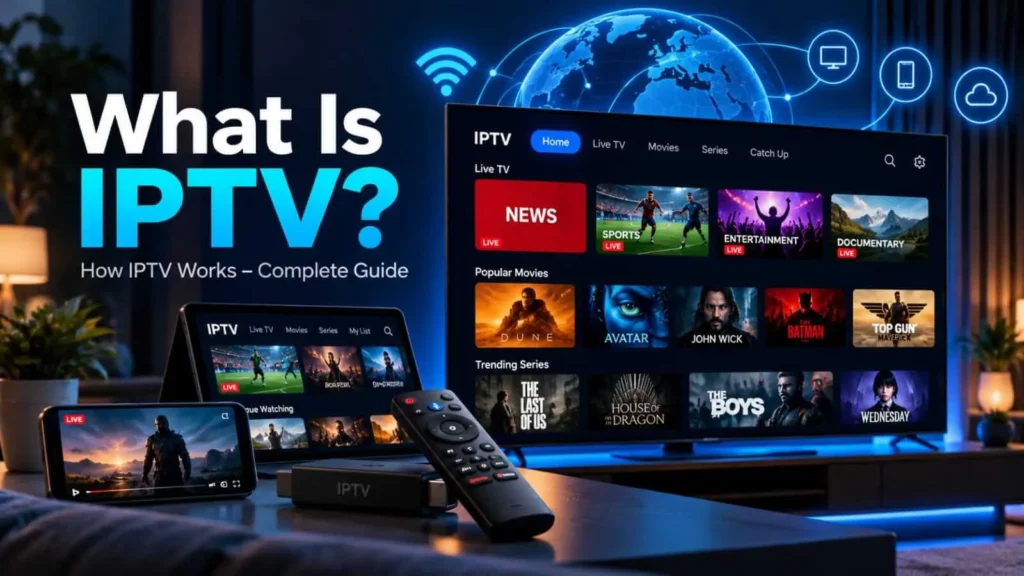
If you are wondering what is IPTV, the simplest explanation is television delivered through an internet connection.
IPTV stands for Internet Protocol Television.
It is a technology that delivers television channels and video content through an internet connection rather than traditional satellite or cable broadcasting.
With IPTV, viewers can access live television, movies, TV series and other video content using compatible applications and devices.
The experience is similar to other modern streaming services, although IPTV can also provide live television channels alongside on-demand content.
How Does IPTV Work?
Traditional television broadcasts send signals through satellite, terrestrial transmitters or cable networks.
IPTV works differently.
Television and video content is transmitted through internet networks and delivered to a compatible device.
When you select a channel or movie, your IPTV application connects to the streaming service and begins delivering the selected content through your internet connection.
A stable internet connection is therefore one of the most important factors for a smooth viewing experience.
What Can You Watch With IPTV?
Depending on the service and subscription package, IPTV can provide access to different types of entertainment.
This may include live television, sports, news, movies, TV series, documentaries, children’s programming and Video on Demand content.
Content availability can vary according to the provider, subscription and region.
Which Devices Support IPTV?
One of the advantages of IPTV is device compatibility.
You can use IPTV on many popular devices, including:
Smart TVs, Amazon Fire TV Stick, Android TV boxes, smartphones, tablets, Windows computers, macOS computers, Apple TV and compatible IPTV set-top boxes.
Marinios IPTV supports a wide range of popular streaming devices.
For detailed setup instructions, visit our IPTV Installation Guide.
What Internet Speed Do You Need for IPTV?
Internet speed can significantly affect streaming quality.
For standard HD streaming, a stable connection of approximately 15–25 Mbps is generally suitable.
Full HD and 4K streaming may require faster connections, particularly when multiple people or devices are using the same internet connection.
Your connection stability is often just as important as the maximum advertised speed.
Using an Ethernet connection instead of Wi-Fi can sometimes provide a more stable connection for televisions and streaming boxes.
IPTV and 4K Streaming
Many modern IPTV services can provide HD, Full HD and 4K streams where the content and device support those resolutions.
To watch 4K content smoothly, you should have:
A 4K-compatible television or device, a fast and stable internet connection, a compatible IPTV application and access to content available in 4K quality.
Streaming quality ultimately depends on several factors, including your device, network and the source stream.
IPTV on Amazon Fire TV Stick
Amazon Fire TV Stick is another popular device for IPTV streaming.
Its compact design turns a regular compatible television into an internet-connected streaming device.
After setting up the Firestick and installing a compatible IPTV application, the device can stream television over your internet connection.
IPTV on Smartphones and Tablets
IPTV is not limited to televisions.
Compatible applications can also run on Android smartphones, Android tablets, iPhones and iPads.
This makes it possible to access your television service while using a mobile device, subject to your subscription and internet connection.
Why Does IPTV Sometimes Buffer?
Buffering does not always mean there is a problem with the IPTV service.
Several factors can affect streaming performance, including internet congestion, weak Wi-Fi signals, an overloaded home network, device performance and temporary network issues.
Restarting the router, testing your internet connection and using Ethernet when possible can help diagnose connection-related problems.
We will cover this subject in detail in our upcoming guide on How to Fix IPTV Buffering.
How to Start Using IPTV
Getting started is generally simple.
Choose a compatible device, make sure you have a stable internet connection, install a compatible IPTV player and configure the service according to the instructions provided.
You can explore the available Marinios IPTV subscription plans or follow our installation guide for device-specific instructions.
What Is IPTV and Why Is It Becoming Popular?
If you are still wondering what is IPTV, the simplest answer is that IPTV is a way of delivering television and video content through an internet connection instead of traditional satellite or cable networks.
Understanding what is IPTV also means understanding why more viewers are choosing internet-based television. IPTV can be used on many different devices, including Smart TVs, Android TV devices, smartphones, tablets, computers and compatible streaming devices.
Unlike traditional broadcasting, IPTV gives viewers more flexibility in how and where they watch content. Depending on the service, users may have access to live television, movies, TV series and on-demand programs through a single internet-connected device.
What Is IPTV Streaming?
What is IPTV streaming? IPTV streaming refers to television or video content delivered through internet protocol technology. Instead of receiving a traditional television signal, the device receives digital video data through the internet.
This means that the quality of IPTV streaming depends heavily on the stability of the internet connection. A fast connection can help, but consistency is equally important. Even a high-speed connection may experience buffering when the Wi-Fi signal is weak, the network is congested or several devices are using the connection at the same time.
For this reason, users who understand what is IPTV should also understand the importance of a reliable home network.
What Is IPTV Used For?
Another common question is what is IPTV used for?
IPTV can be used for several types of video entertainment, including live television, sports, news, movies, television series, documentaries and on-demand content.
The available programming depends on the provider, subscription package and region. A legitimate IPTV service should clearly explain what content is available and on which devices the service can be used.
What Is IPTV on a Smart TV?
When people ask what is IPTV on a Smart TV, they are usually referring to watching internet-delivered television through a compatible application installed on the television.
Many modern Smart TVs support streaming applications. Once a compatible IPTV player is installed and configured, the television can access supported streams through the home’s internet connection.
The exact installation process depends on the television brand, operating system and application being used.
How Does IPTV Work With Different Devices?
Understanding what is IPTV becomes easier when you look at how it works across different devices.
A Smart TV can display IPTV directly through a compatible application. A streaming device can connect to a television through HDMI. Smartphones and tablets can use compatible mobile applications, while computers can access supported IPTV players or web-based services.
Although the devices are different, the basic principle remains the same: the video content is delivered through an internet connection.
Does IPTV Require Fast Internet?
People researching what is IPTV often assume that extremely fast internet is always required. In reality, connection stability can be just as important as maximum download speed.
HD and 4K video naturally require more bandwidth than standard-definition video. Other devices connected to the same network can also reduce the bandwidth available for streaming.
Using Ethernet instead of Wi-Fi may provide a more stable connection for televisions and streaming boxes, especially when the router is far from the viewing device.
What Is IPTV Buffering?
Another important part of understanding what is IPTV is understanding buffering.
Buffering occurs when the playback device temporarily does not receive video data quickly enough to continue playing smoothly. This can happen because of weak Wi-Fi, network congestion, insufficient bandwidth, device performance or problems elsewhere in the streaming path.
Restarting the router, testing the internet connection and reducing unnecessary network activity can help identify whether the home connection is contributing to the problem.
IPTV Compared With Traditional Television
When comparing traditional television with IPTV, the biggest difference is the delivery method.
Traditional cable and satellite television rely on dedicated broadcasting infrastructure. IPTV uses internet protocol networks to deliver video.
This is why the answer to what is IPTV is ultimately quite simple: it is television delivered through internet technology, with the flexibility to work across many modern connected devices.
Frequently Asked Questions
Is IPTV the same as streaming?
IPTV is a form of internet-based television delivery. Streaming is a broader term covering many types of audio and video content delivered through the internet.
Do I need a satellite dish for IPTV?
No. IPTV uses an internet connection and therefore does not normally require a satellite dish.
Can IPTV work on a Smart TV?
Understanding what is IPTV also helps explain why it can work across smart TVs, smartphones and streaming devices.
Yes. Many Samsung, LG, Android TV and other Smart TV platforms support compatible IPTV applications.
Can IPTV support 4K?
IPTV can deliver 4K streams when the content, service, internet connection and viewing device support 4K resolution.
Is fast internet important for IPTV?
Yes. A stable connection helps reduce buffering and improves video quality, particularly with Full HD and 4K content.
What is IPTV used for?
IPTV is used to deliver live television and on-demand video content through an internet connection.
Final Thoughts
IPTV provides a flexible way to watch television through an internet connection on a wide range of devices.
Understanding how IPTV works, choosing a compatible device and maintaining a stable internet connection are the foundations of a good streaming experience.
If you are ready to get started, explore the Marinios IPTV plans or follow our IPTV installation guide to configure your device.
Now that you understand what is IPTV and how it works, you can choose a compatible device and suitable internet connection.
Internet Speed and Network Stability
A stable internet connection is essential for smooth IPTV streaming. Slow speeds, network congestion, Wi-Fi interference, and high latency can lead to buffering or reduced video quality. Cloudflare notes that switching from Wi-Fi to Ethernet can sometimes improve streaming performance, while adaptive streaming technologies can automatically adjust video quality according to available bandwidth.
As a useful reference, Netflix recommends at least 5 Mbps for Full HD (1080p) and 15 Mbps for Ultra HD (4K) streaming, while YouTube lists approximately 5 Mbps for 1080p and 20 Mbps for 4K UHD playback. Actual IPTV requirements can vary depending on the provider, stream bitrate, device, and how many devices share the same connection.
____________________________________________________________________________________________________________________
Sources, retrieved 2026-10-07:
- Cloudflare, “What is streaming? How video streaming works”
Cloudflare Streaming Guide - Netflix Help Center, “Netflix-recommended internet speeds”
Netflix Internet Speed Recommendations - Apple Developer, “HTTP Live Streaming (HLS)”
Apple HTTP Live Streaming Documentation - YouTube Help, “System requirements & supported devices for YouTube”
YouTube Streaming Requirements